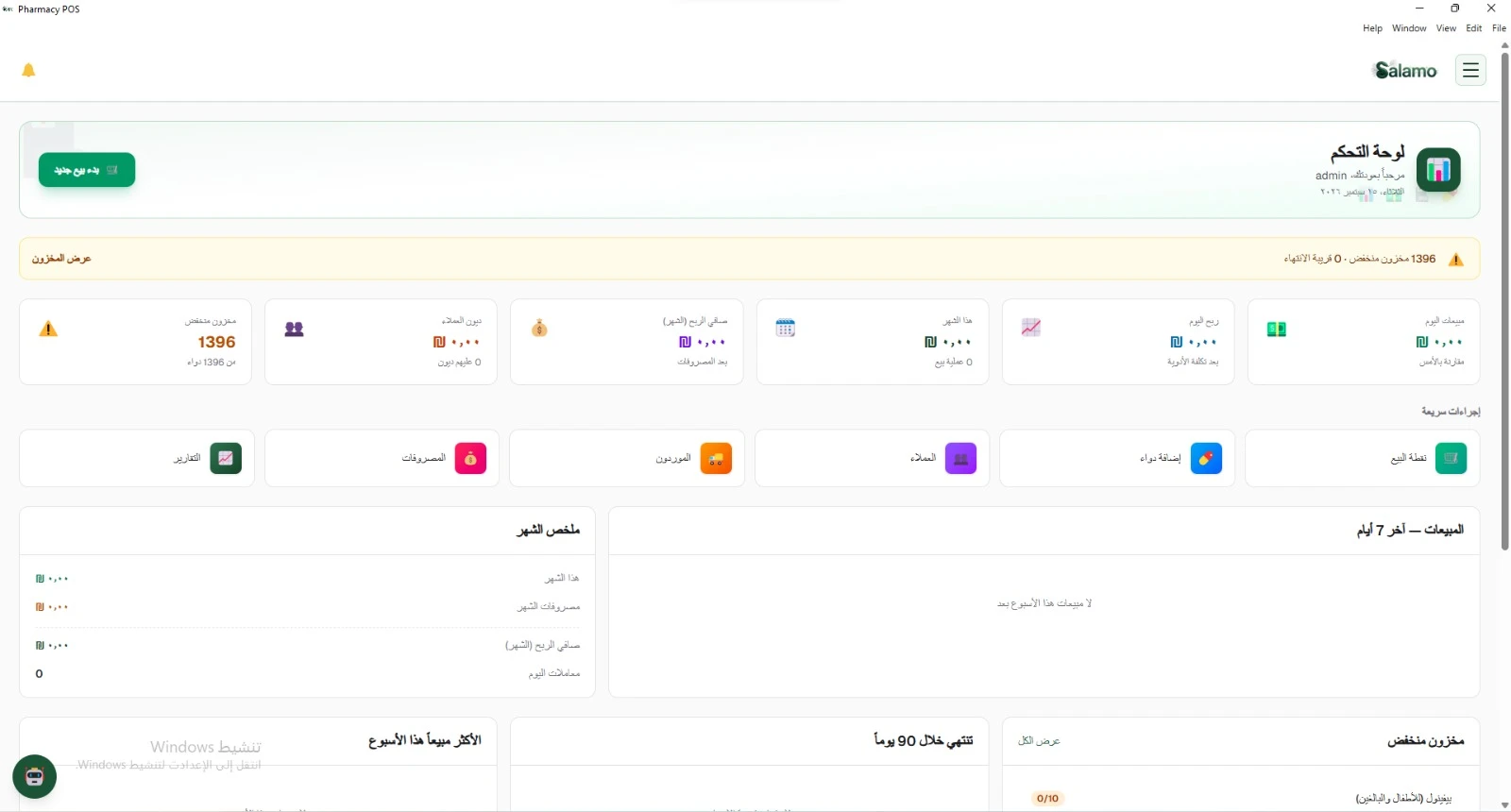
Salamo Pharmacy POS
An Arabic-first desktop system for running a pharmacy: Point of Sale, stock, customers, and reports — works offline on your local network.
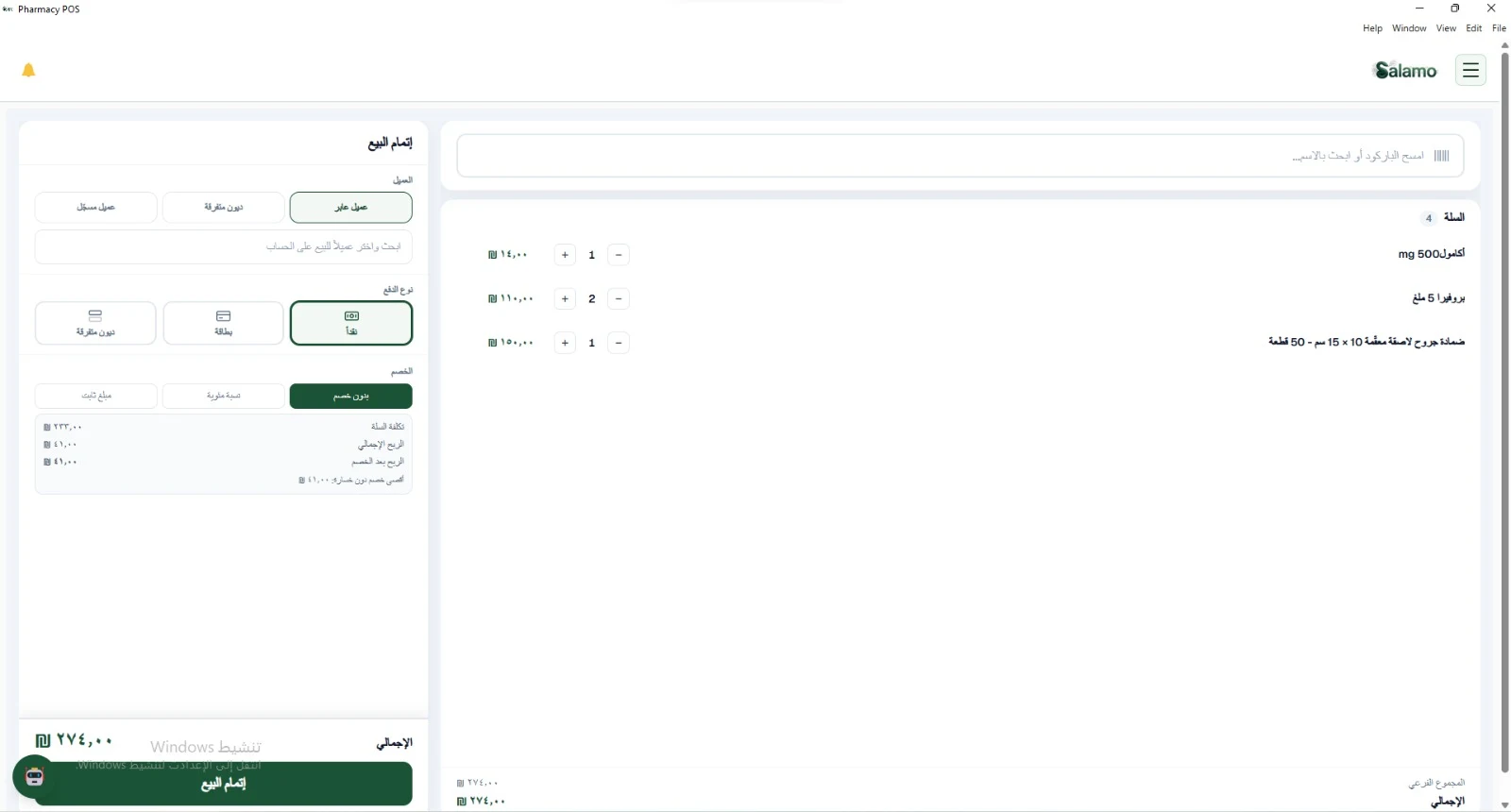
Point of Sale
Scan a barcode or search by name and fill the cart. At checkout you pick the customer, payment type, and discount before confirming.
- Cart with quantity, subtotal, and total
- Customer row: walk-in, registered, or Miscellaneous Debts
- Payment row: cash or card — plus percentage or fixed discount
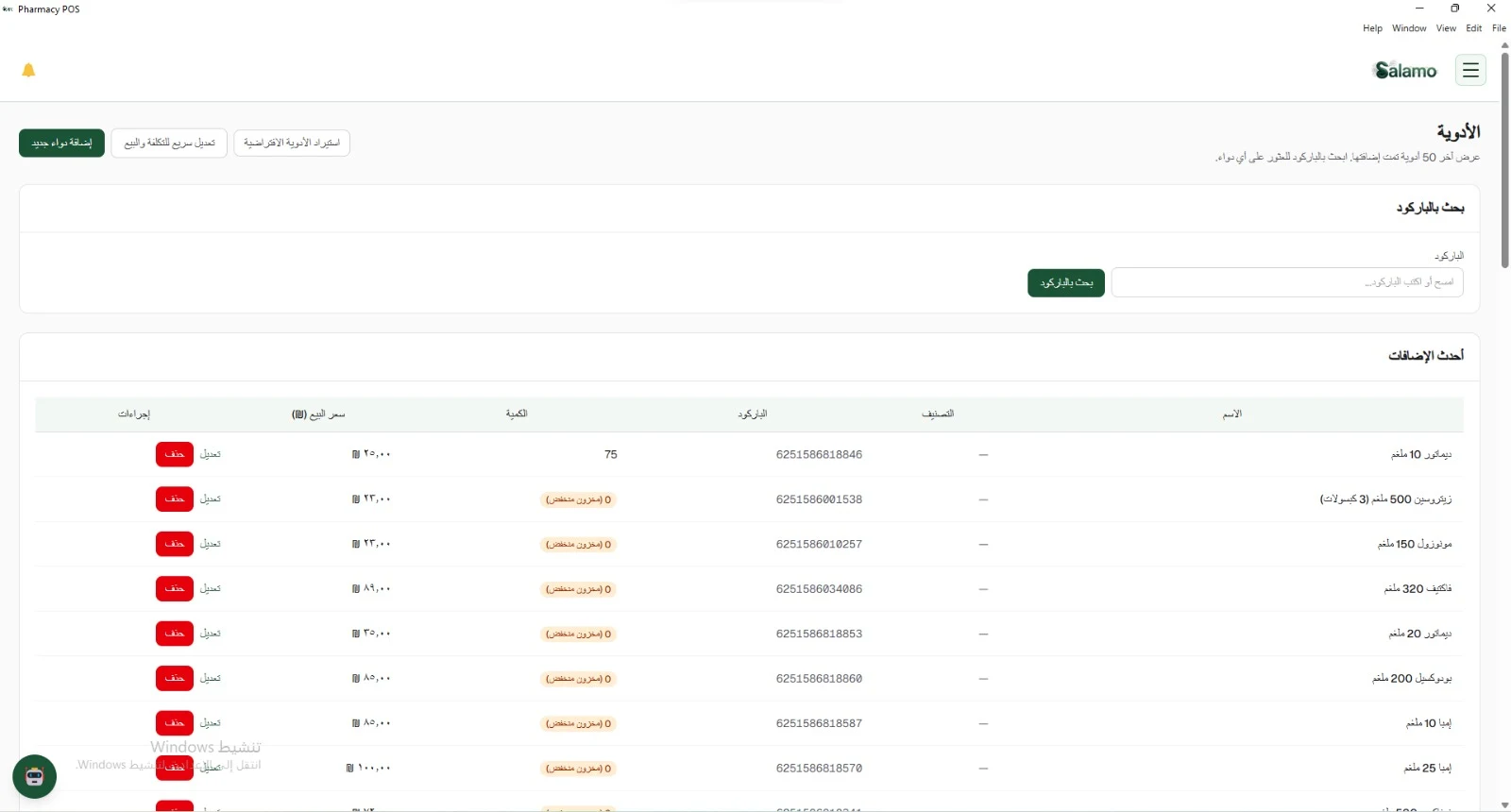
Medicines & stock
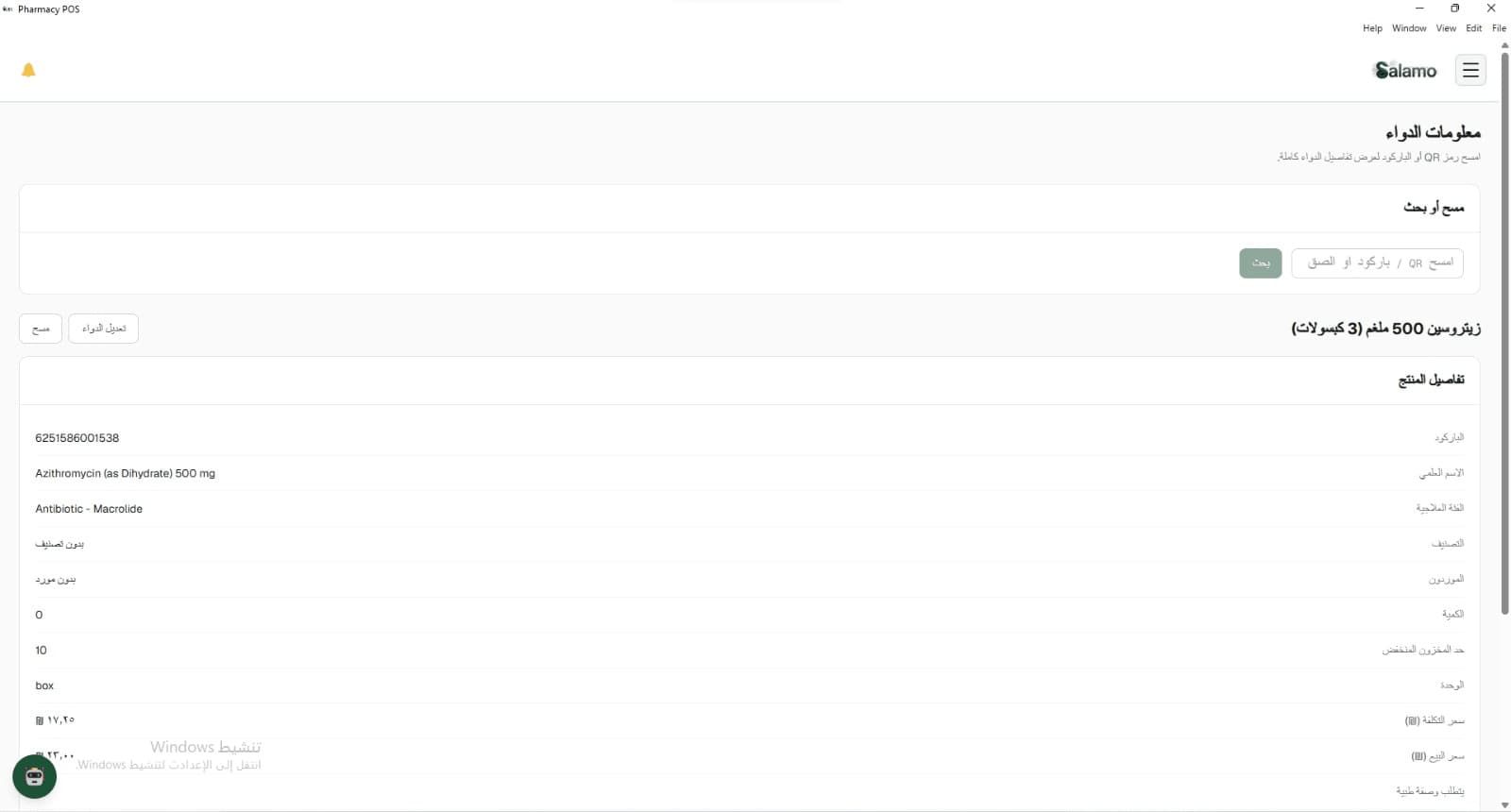
Medicine catalog with barcode search, low-stock labels, and quick cost and sell-price edits. Import the default medicines instead of typing them by hand. In Medicine Info, scan a barcode to see the full product record.
- Import default medicines — no manual entry required
- Barcode search and latest additions
- Low-stock and near-expiry alerts on the Dashboard
- Medicine Info: quantity, low-stock limit, cost price, and sell price
Customers
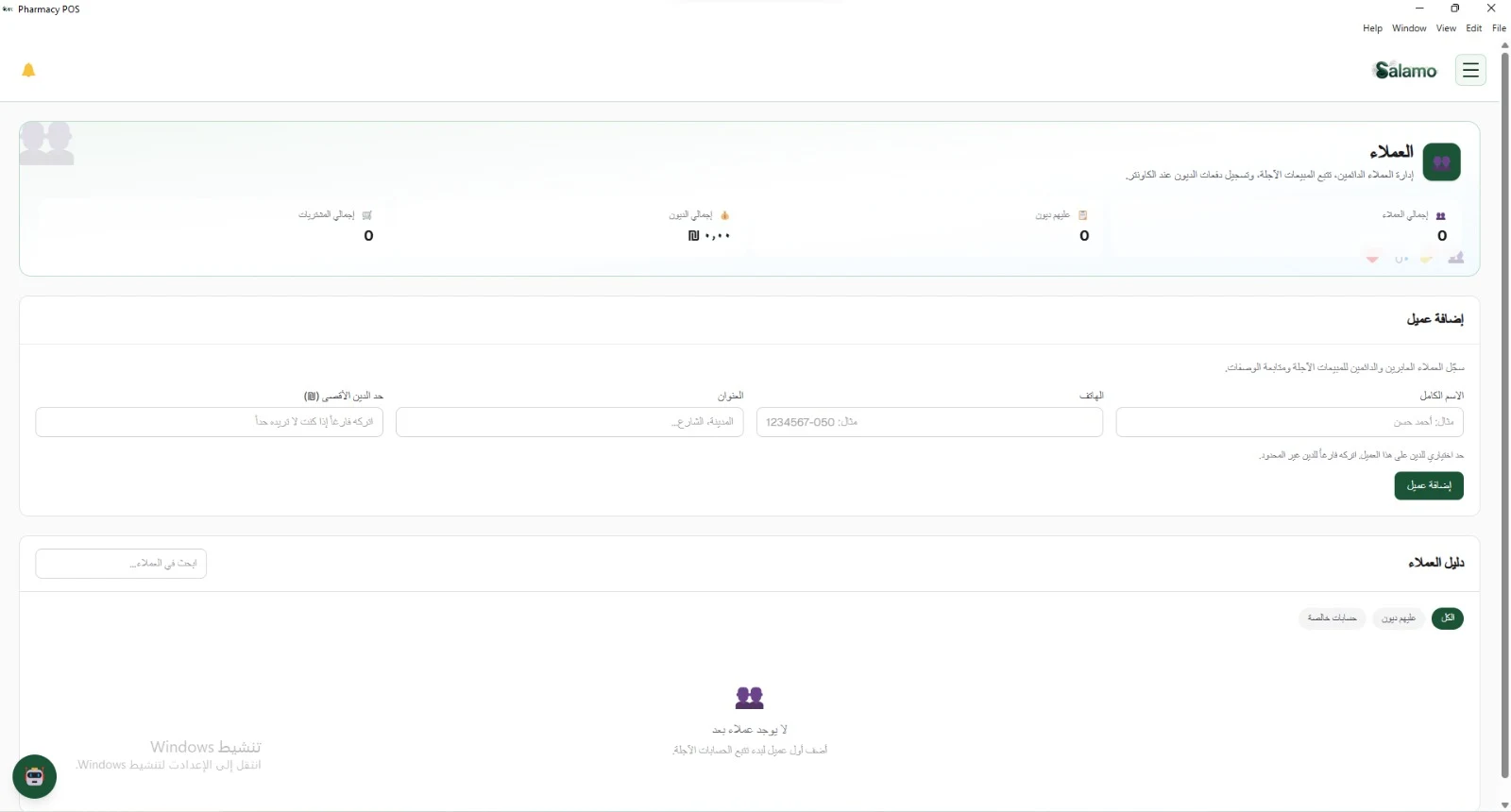
Register regular customers, track credit sales, and set a max debt limit when you need one. Filter who owes you from the customer directory.
- Add a customer with phone, address, and debt limit
- Filters: all, with debts, special accounts
- Summary strip for customers, debts, and purchases
Suppliers
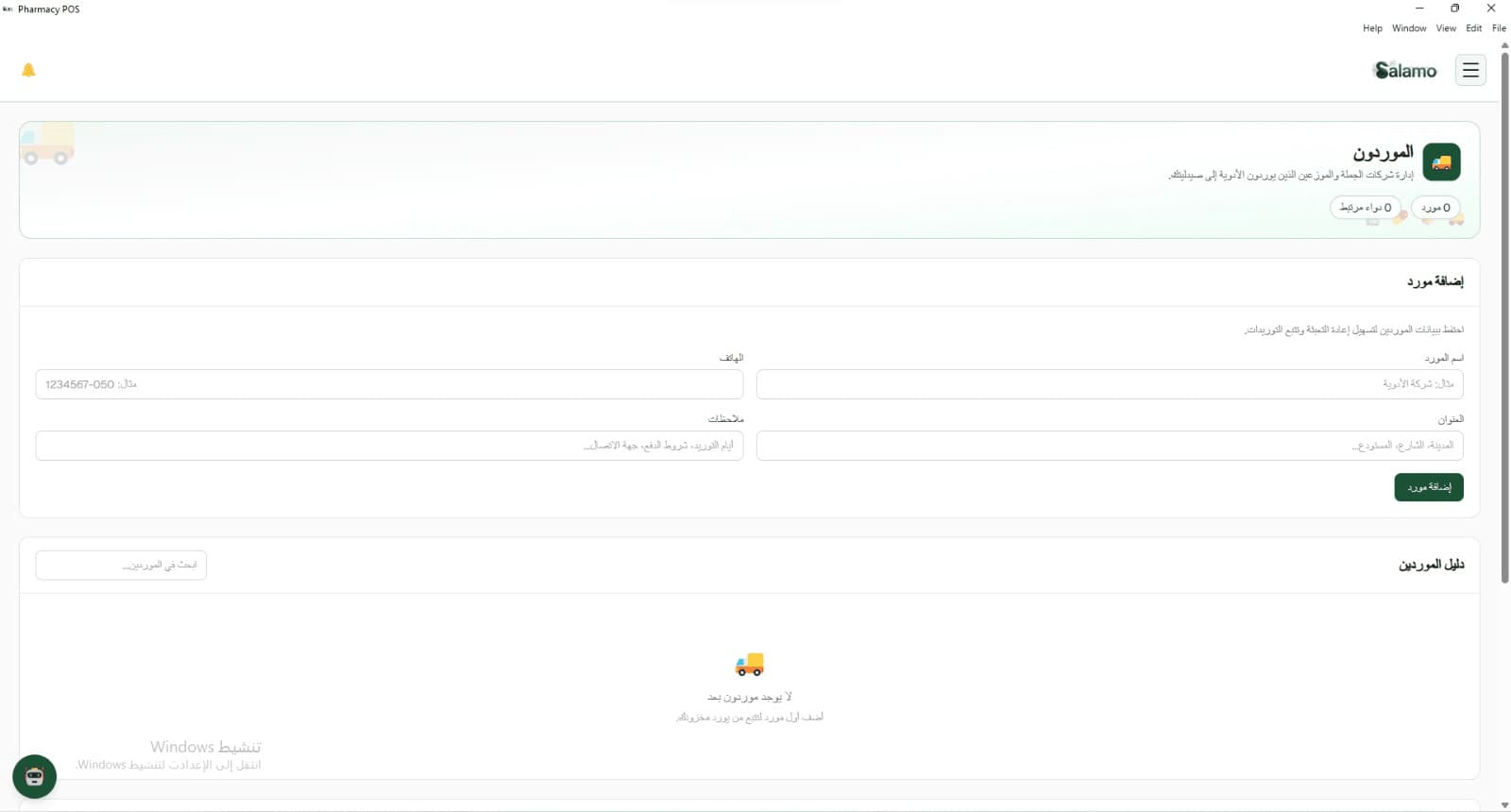
Manage wholesalers and distributors who supply your pharmacy. Keep phone, address, and notes in the supplier directory.
- Add a supplier with contact details
- Search the supplier directory
- Link medicines to suppliers
Reports
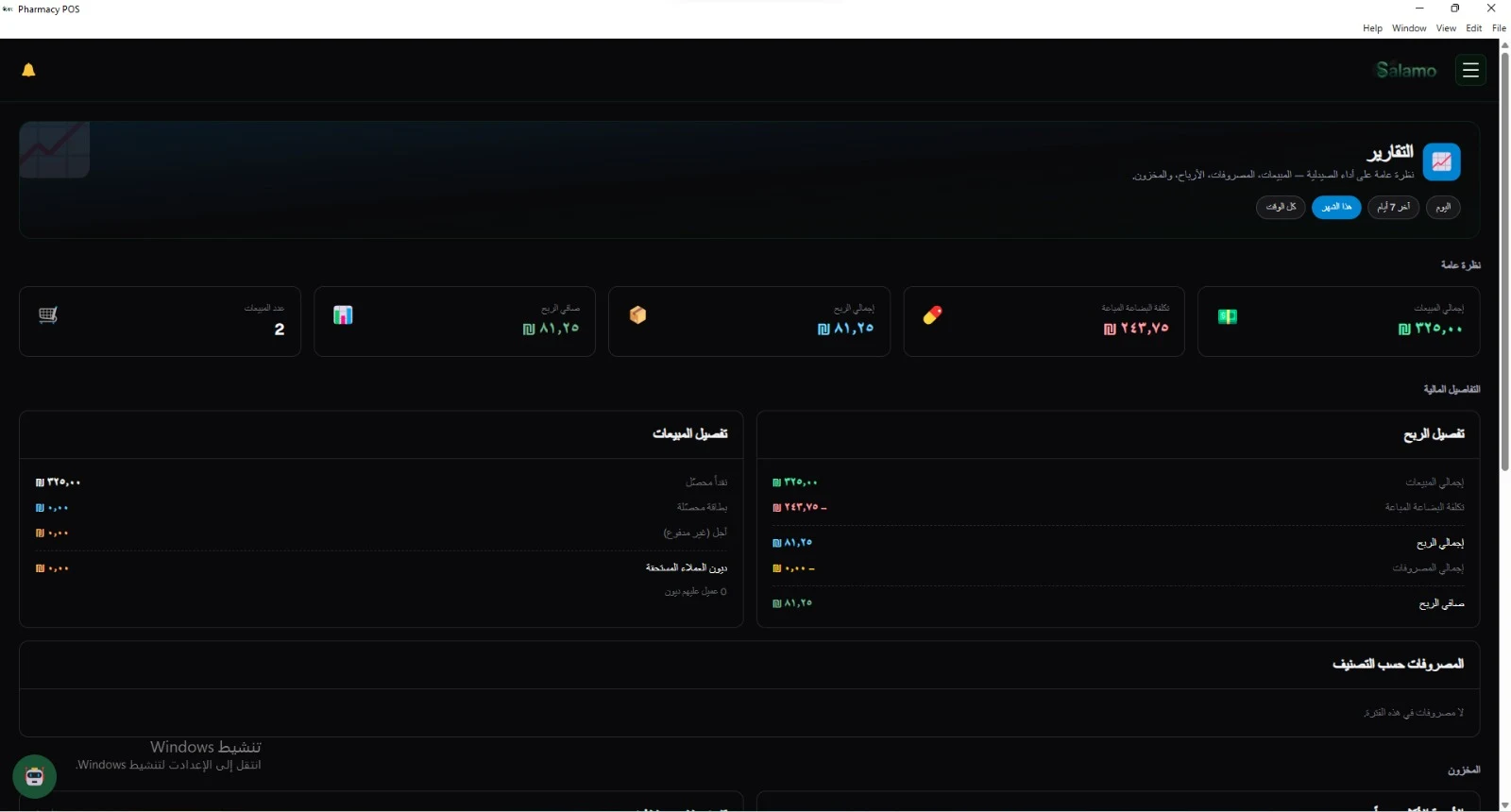
Pharmacy performance at a glance: sales, cost of goods sold, gross profit, net profit, and expenses — with time filters from today to all time.
- Total sales and number of sales
- Profit detail: cost of goods, expenses, net profit
- Sales detail: cash, card, and unpaid credit
Employees
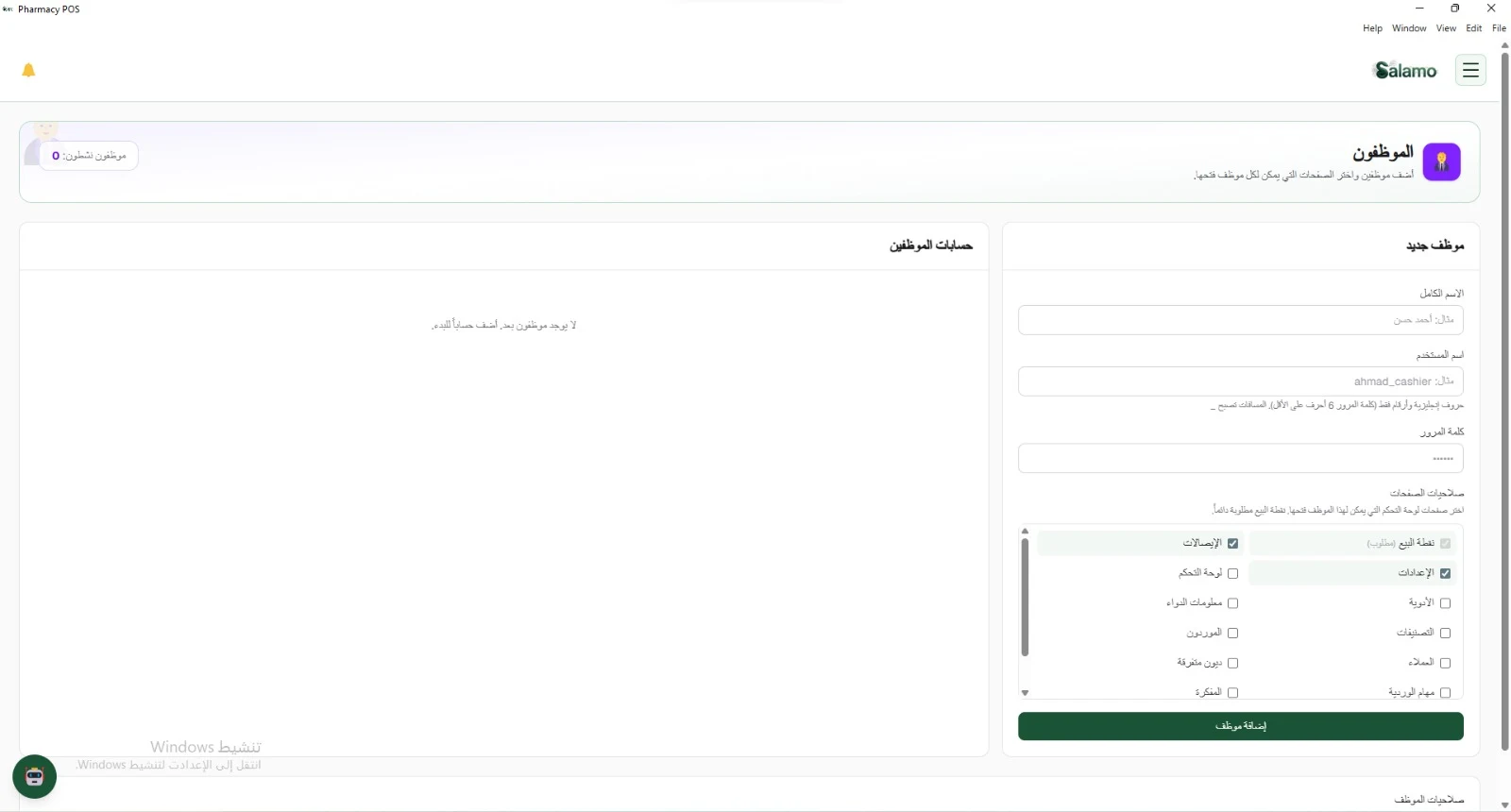
Add staff and choose which pages each employee can open. Point of Sale is always required.
- Per-employee account: name, username, password
- Page permissions, page by page
- All employee accounts in one list
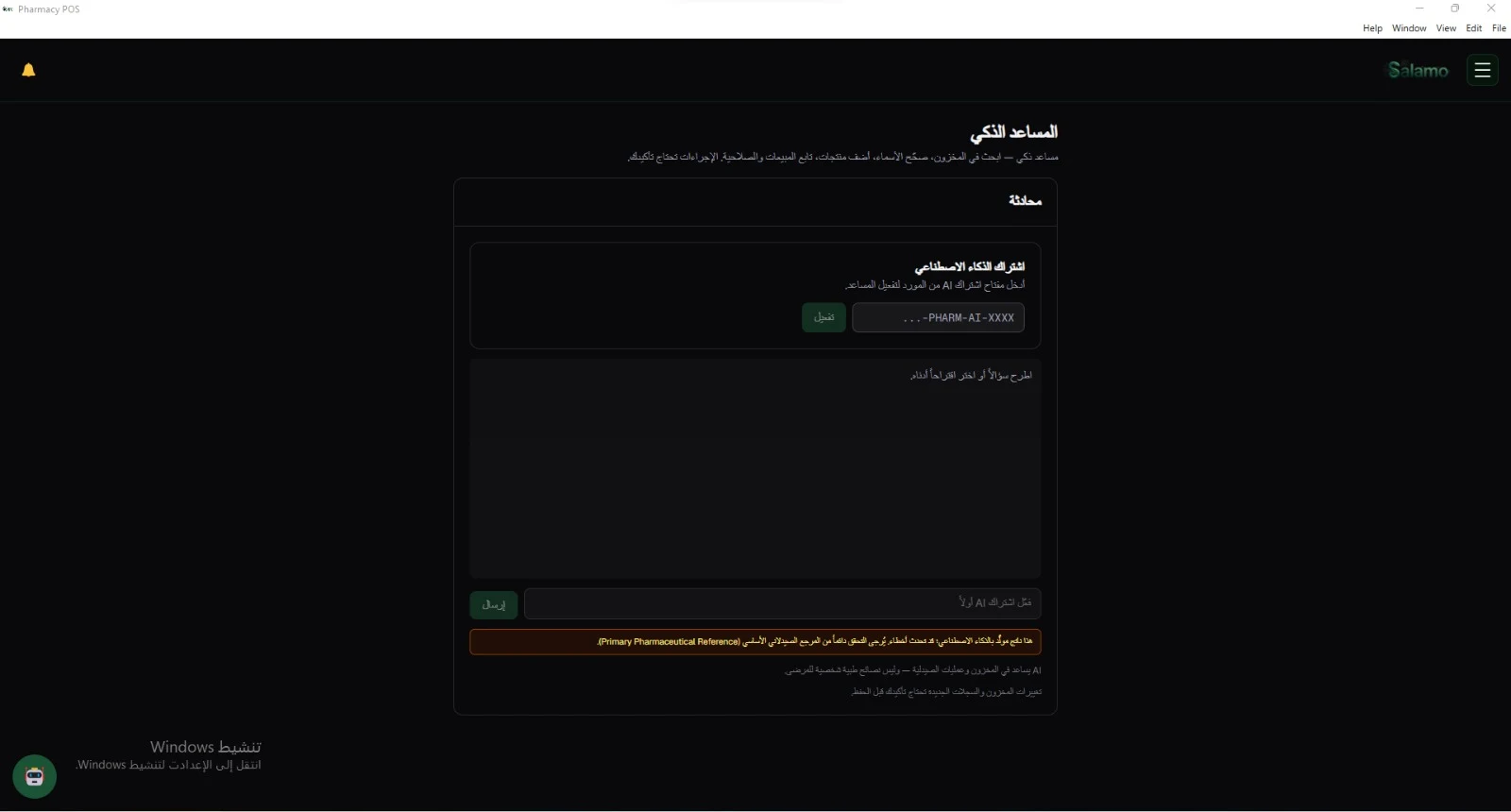
Smart Assistant
Search stock, fix names, add products, and follow sales and expiry in a chat. Important changes need your confirmation before they save.
- Chat built for pharmacy operations — not medical advice
- Suggestions and questions after you activate the subscription
- Manual confirm before saving stock or record changes
What's inside
Menu modules in Salamo Pharmacy POS — the same names as in the navigation sidebar.
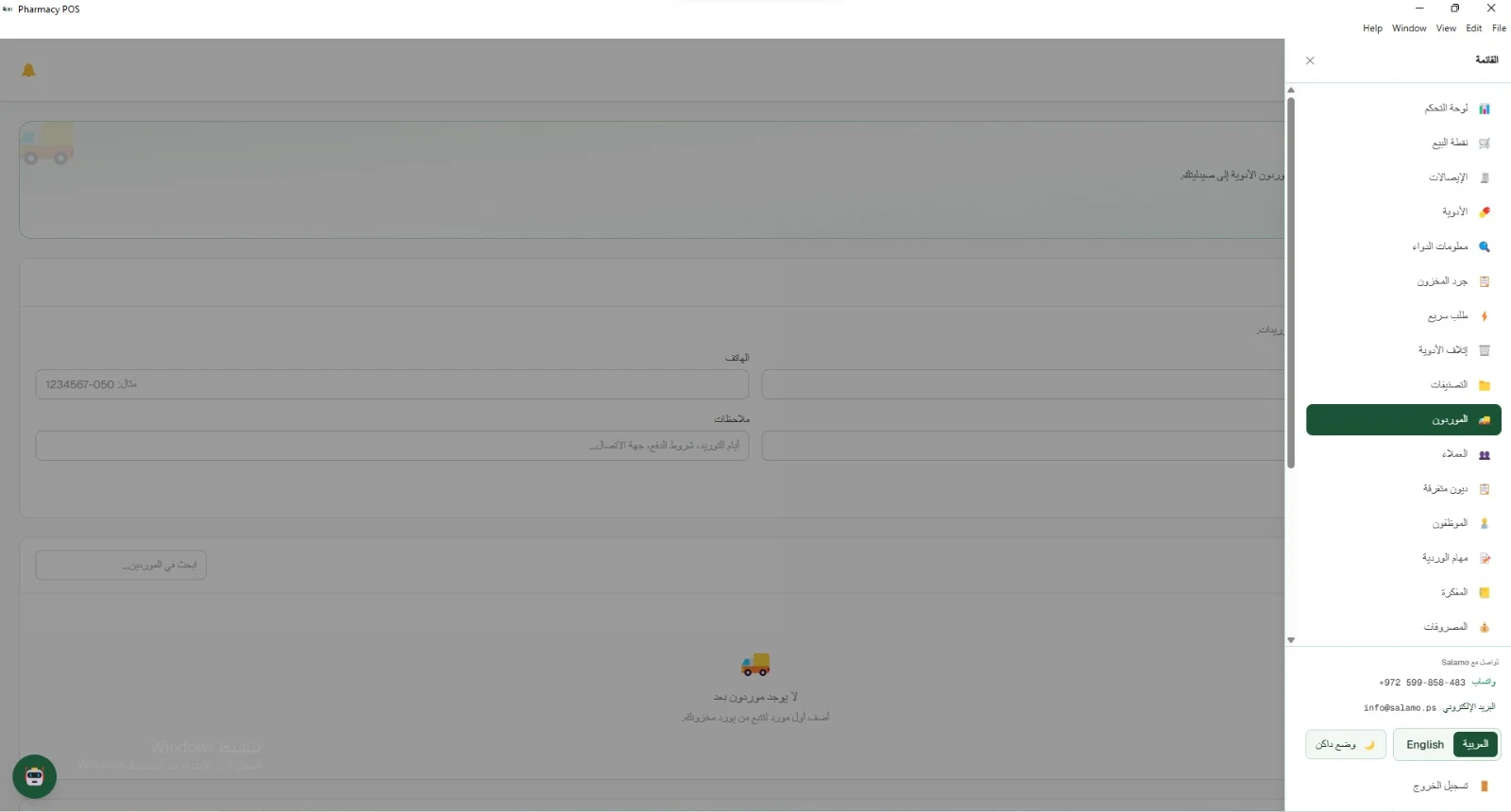
Selling
- Dashboard
- Point of Sale
- Receipts
Medicines & Inventory
- Medicines
- Medicine Info
- Categories
- Stocktake
- Fast Order
- Disposal
Business Relations
- Suppliers
- Customers
- Miscellaneous Debts
Management & Finance
- Employees
- Shift Jobs
- Notebook
- Expenses
- Reports
- Alerts
System
- Backup
- System Health
- Annual Archive
- Audit Log
- Settings
Built for daily pharmacy work
Runs on the desktop, in Arabic and English, without needing a constant connection.
Point of Sale
Scan a barcode or search by name — cart, payment type, and discount before confirming.
Medicines & stock
Medicine catalog with low-stock and near-expiry alerts.
Customers & debts
Register regular customers and track credit sales and debt limits.
Works offline
Core operation on the machine and local network without a permanent internet link.
Arabic and English
Switch language from the UI — Arabic and English.
Light and dark mode
The same screens in light or dark mode.
Server and clients on the LAN
One main device (server) and secondary devices (clients) on the pharmacy local network.
Import medicines
Import the default medicine catalog instead of typing each product by hand.
Backup and restore
Save your data and restore it when you need to.
Audit Log
Track important actions inside the system.
Ready to run your pharmacy with Salamo Pharmacy POS
Point of Sale, stock, customers, and reports in one desktop system.