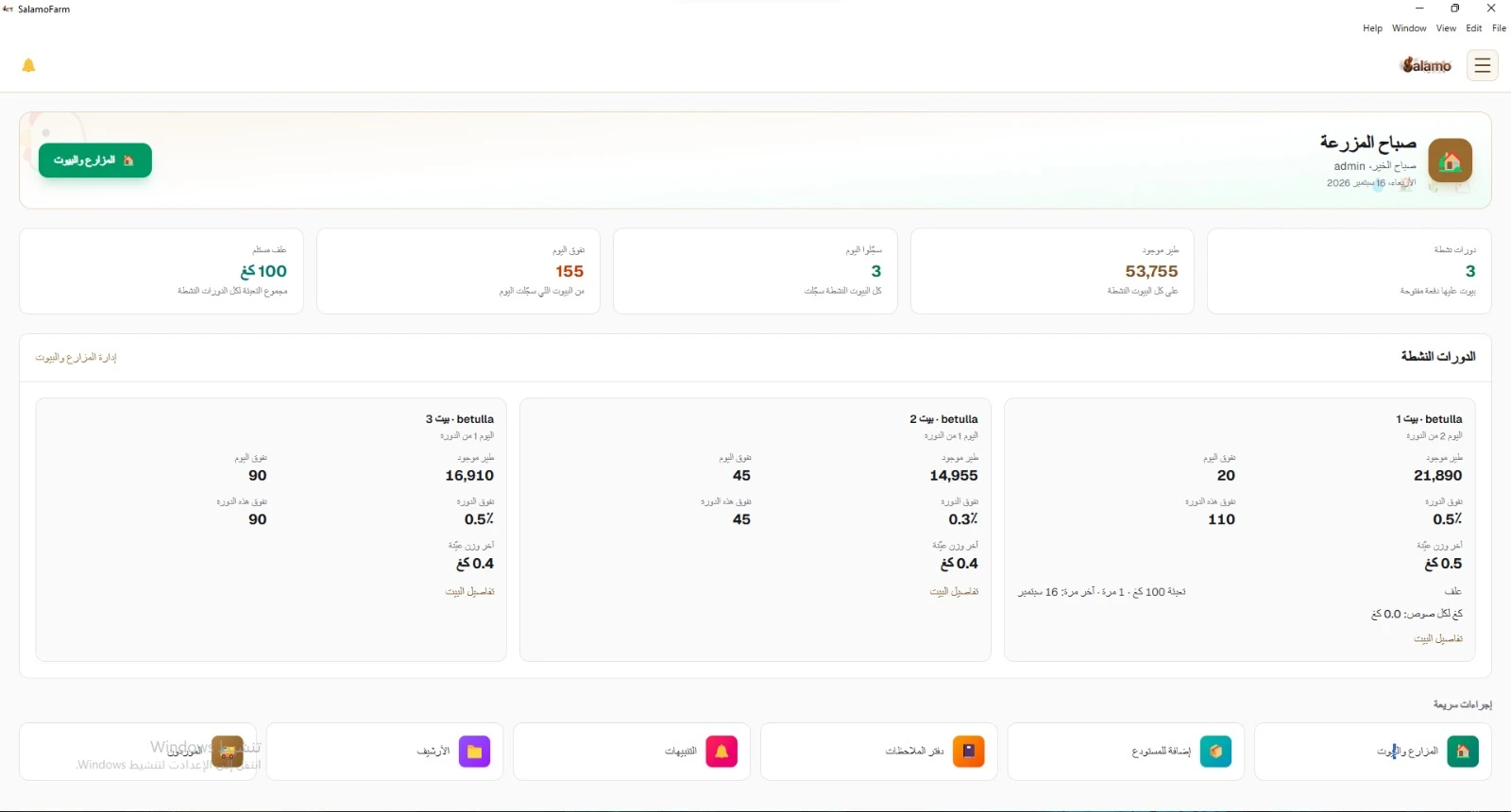
SalamoFarm
A desktop system for running a poultry farm: flock cycles and houses, the day log, house warehouse, and flock sales to market — works offline on your local network.
Farms & houses
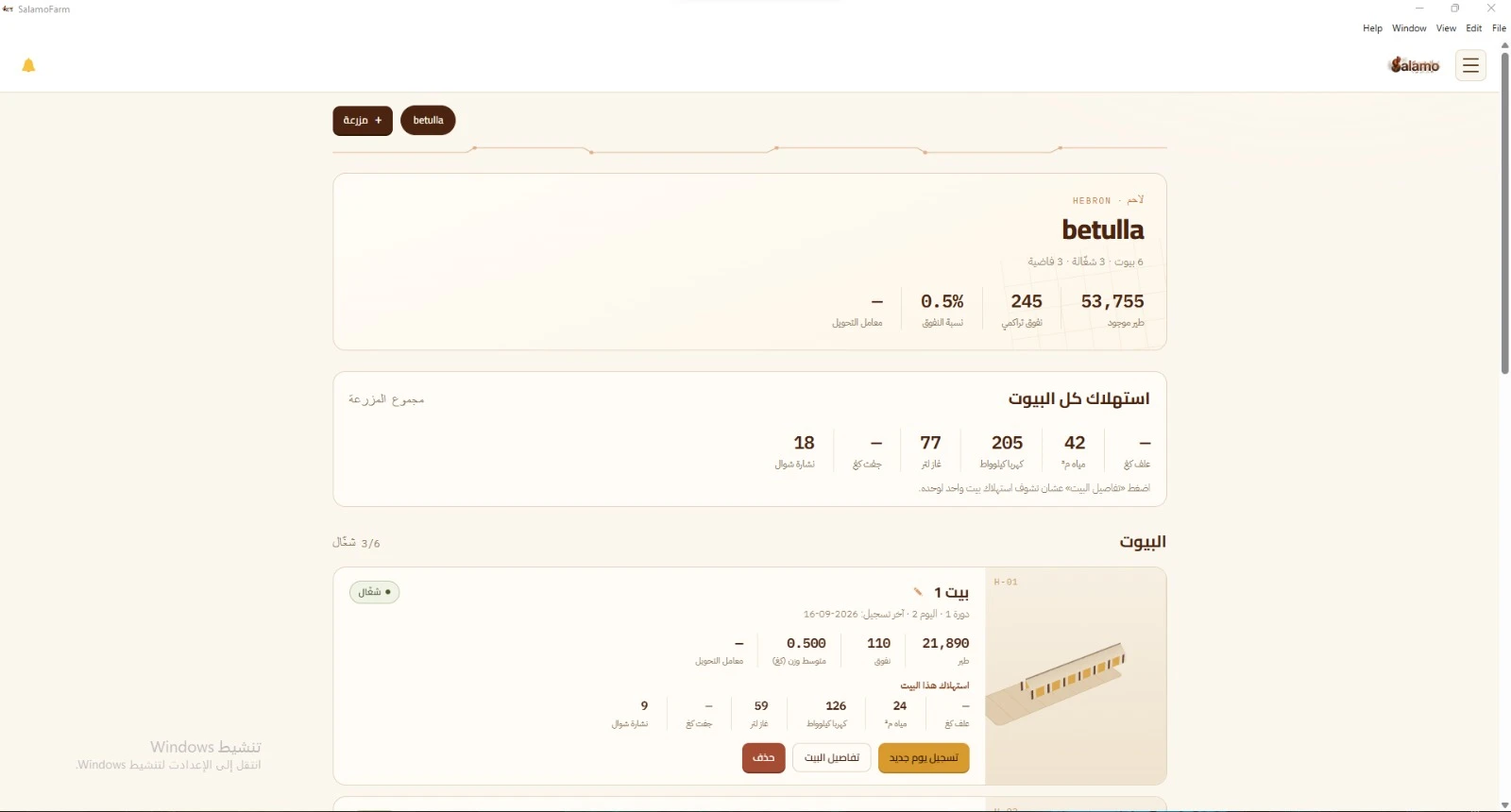
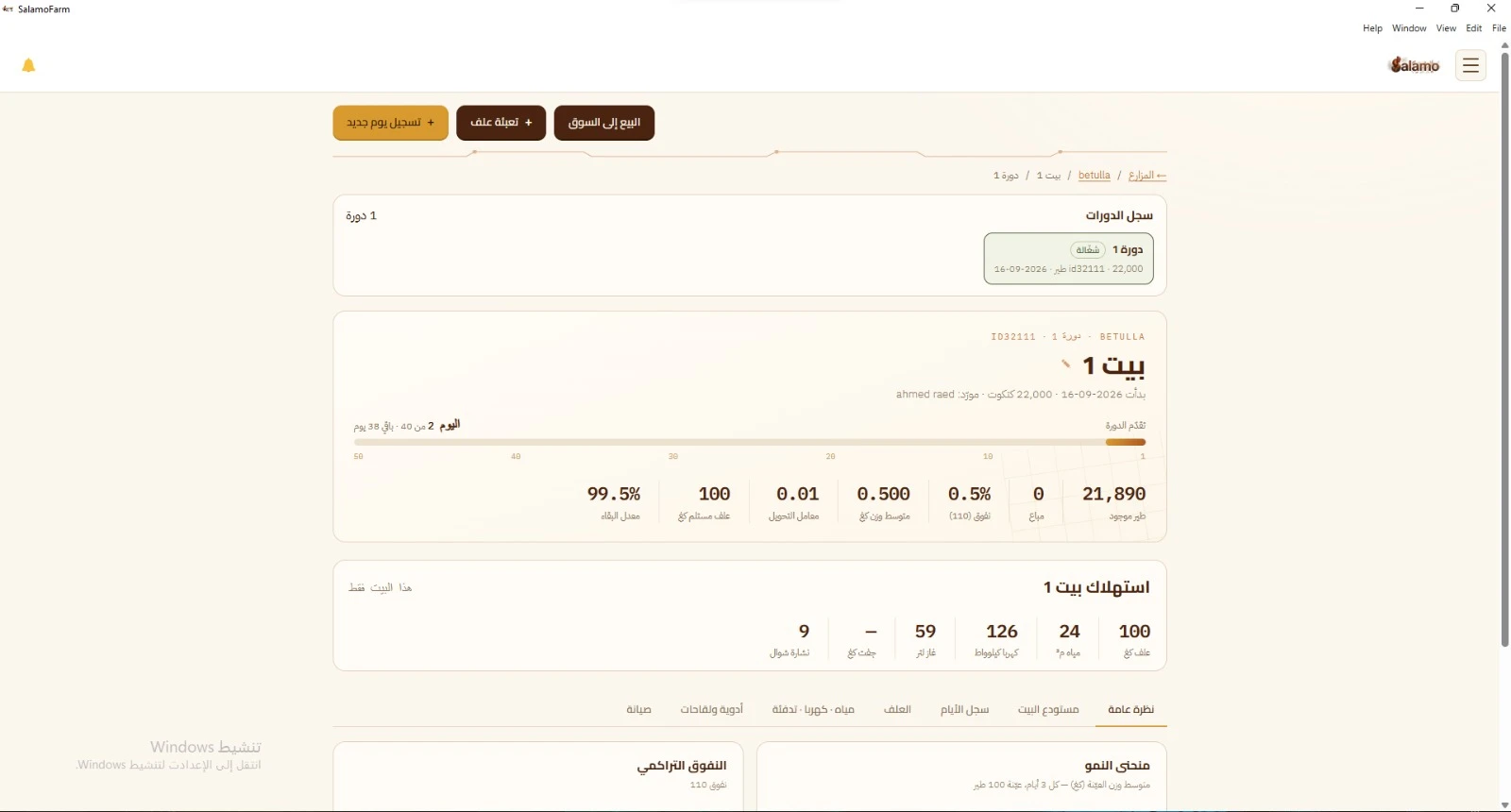
Each farm and its houses in one place: working or empty, and the current flock cycle per house. From a house card you log a new day or open house details.
- House count and status: working or empty
- Per active house: birds on hand, mortality, average weight, and feed conversion
- This house's use: feed, water, electricity, heating, and bedding
Day log
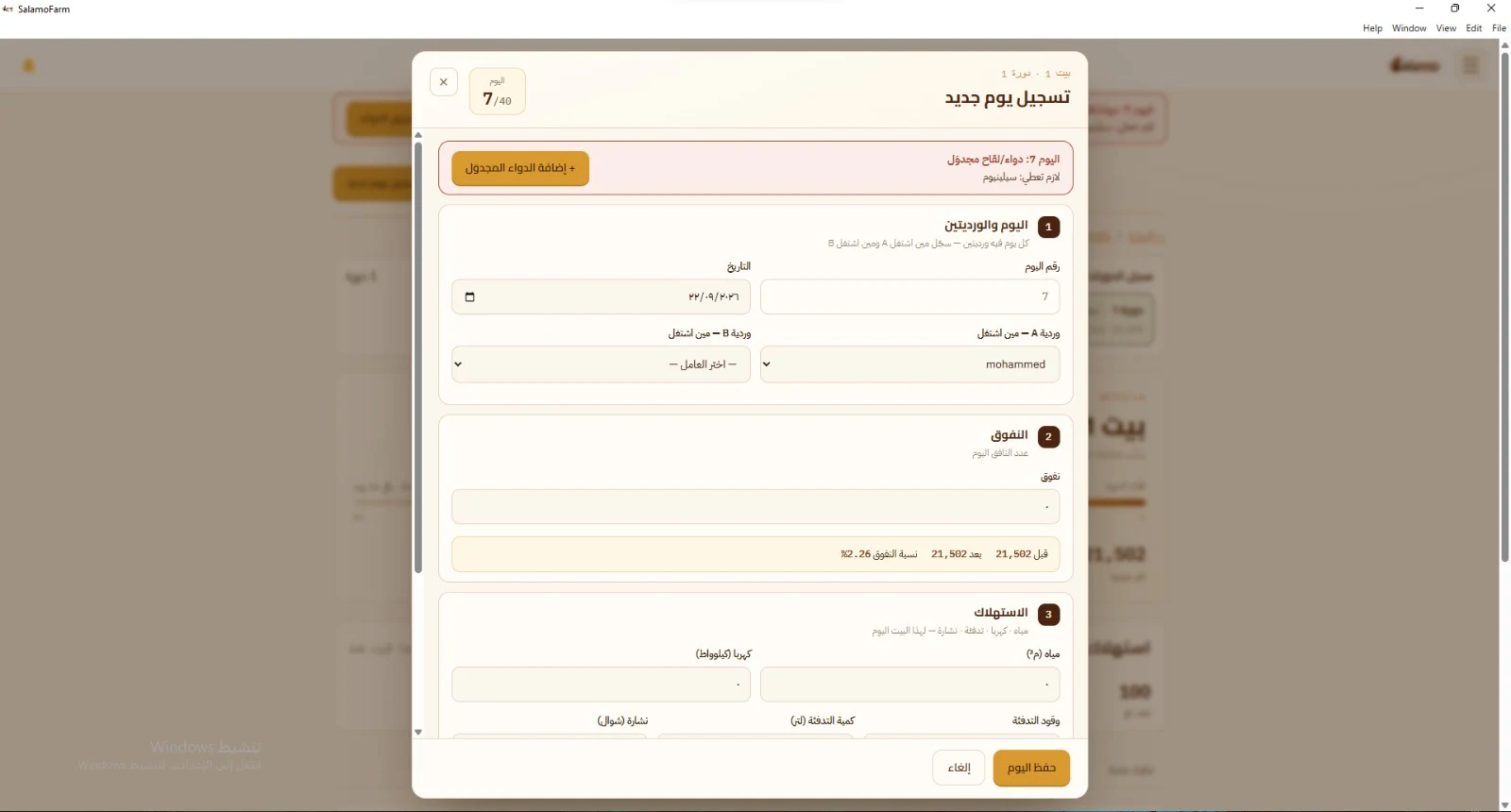
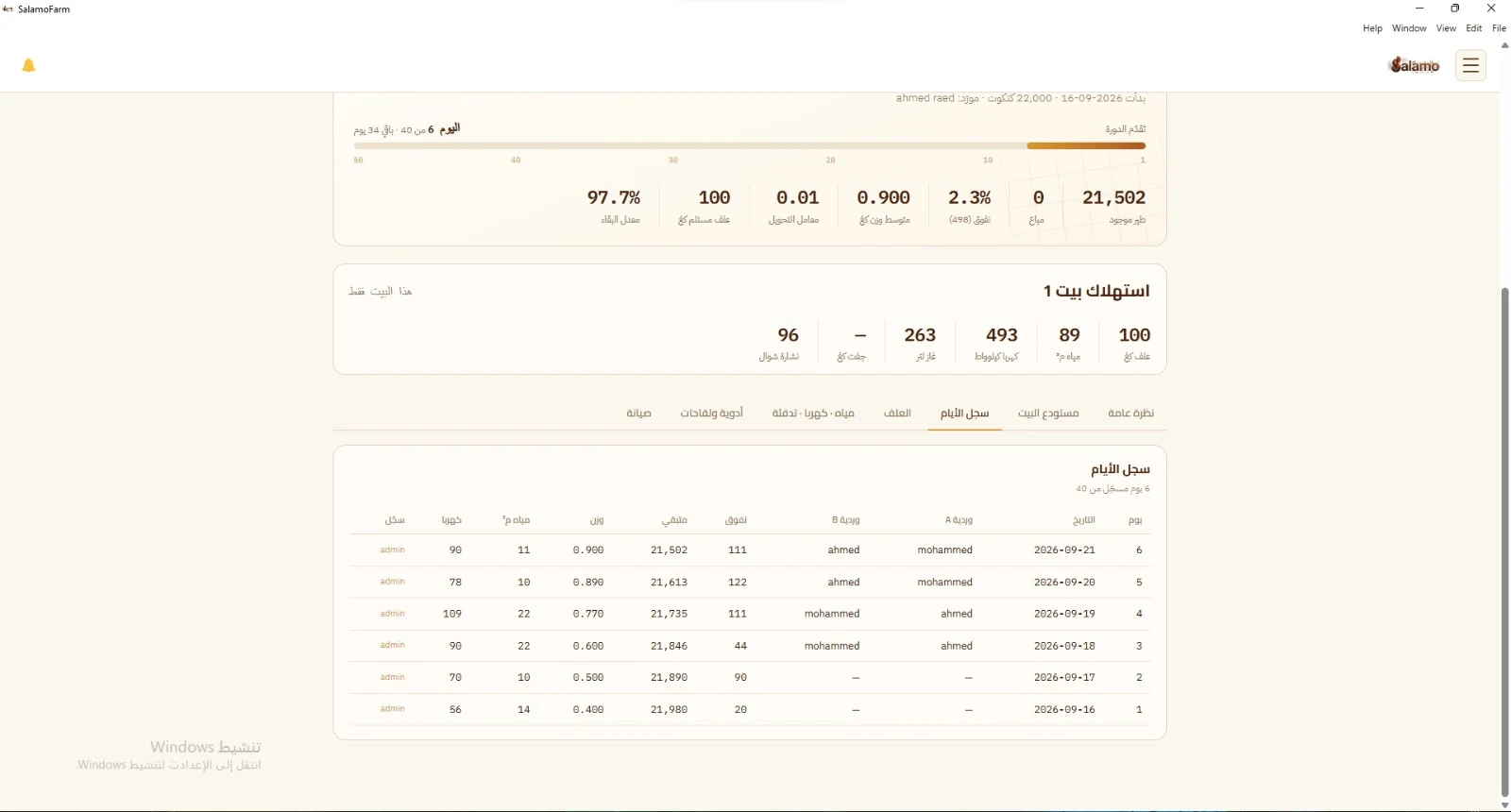
Log a new day on the house and flock cycle: both shifts, mortality, and consumption. If a medicine or vaccine is scheduled for that day, a reminder appears so you can add it. The table shows recorded days, day by day.
- Shift A and Shift B: who worked each shift
- Day mortality with birds remaining after the entry
- Water, electricity, heating quantity, and bedding
- Scheduled medicine/vaccine alert on set days — e.g. day 7 — with add scheduled medicine
House warehouse
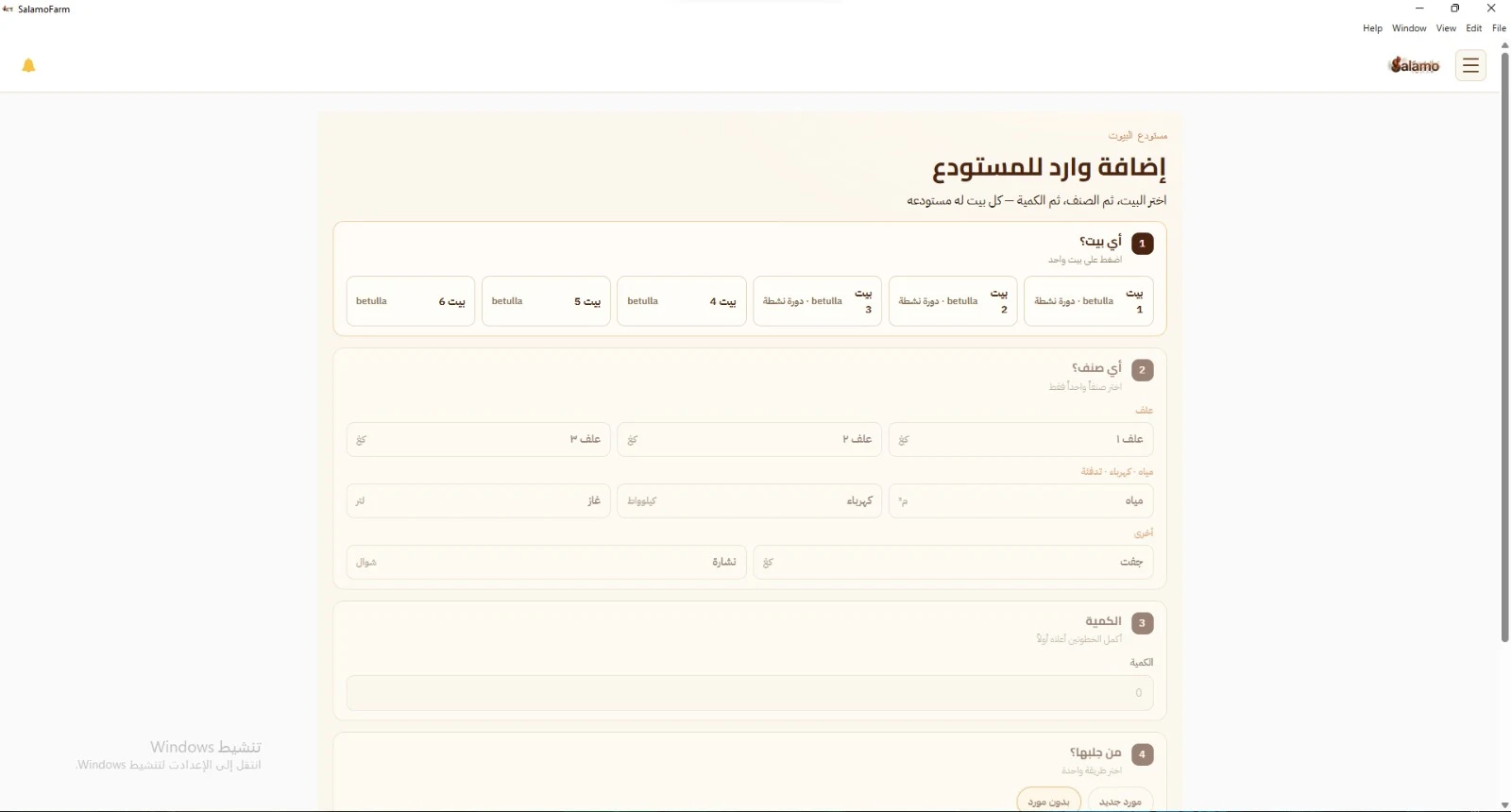
Add incoming stock to the house warehouse: pick the house, then the item, then the quantity, and who brought it.
- Pick one house — and see if it has an active flock cycle
- Items: feed, water, electricity, gas, fuel, and bedding
- Link the intake to a supplier, or add it without one
Flock sales & receipts
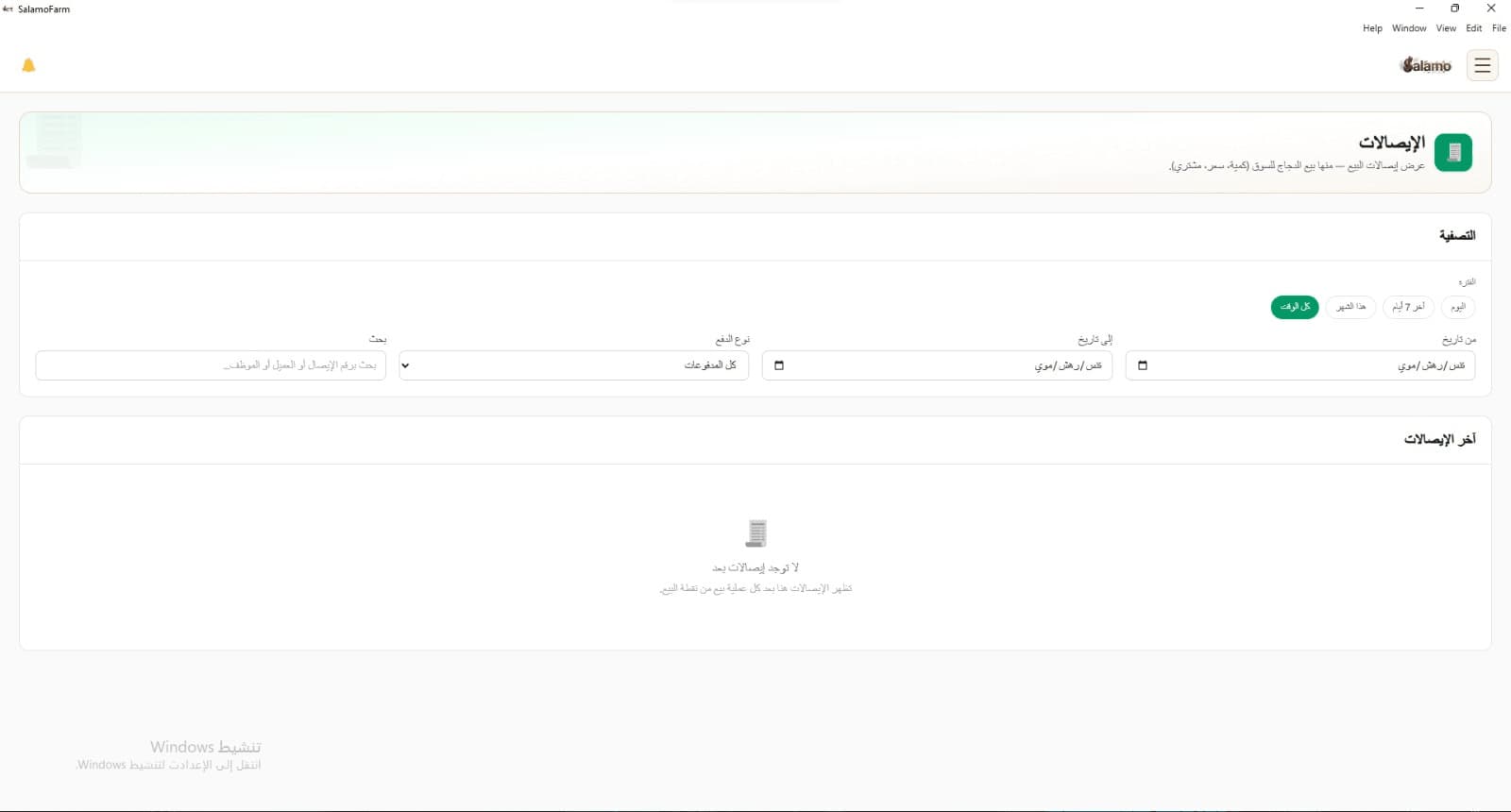
Sell from a house to a buyer: by bird count or by kg. Receipts show chicken sales to market — quantity, price, and buyer.
- One receipt per flock sale
- Filter by period and payment type
- Search by receipt number, buyer, or employee
Buyers
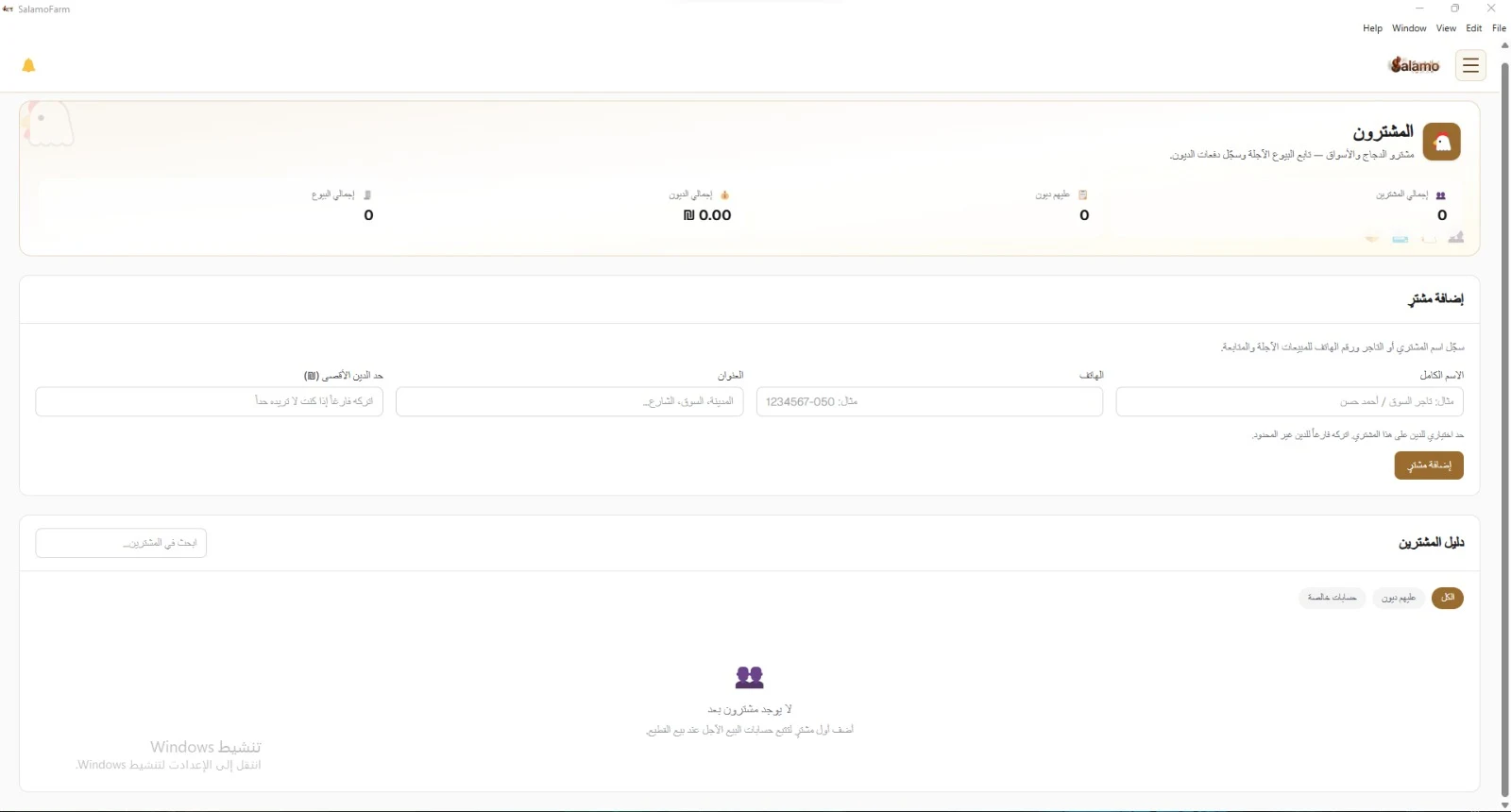
A directory of chicken and market buyers — not retail shoppers. Track credit sales and record debt payments.
- Add a buyer with phone, address, and debt limit
- Filters: all, with debts, settled accounts
- Summary: buyer count, debts, and total sales
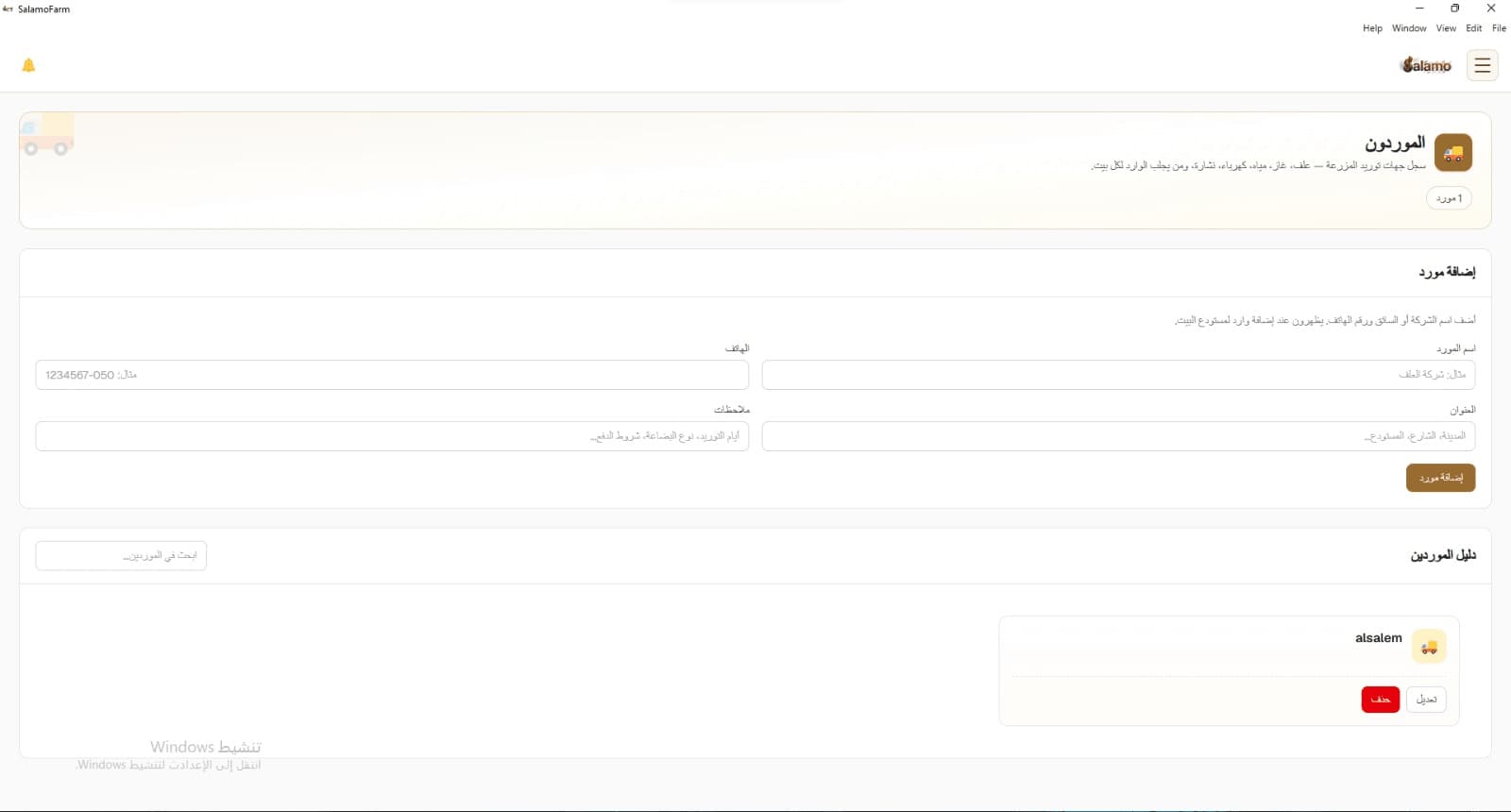
Suppliers
Farm supply contacts: feed, gas, water, electricity, bedding — and who brings intake for each house.
- Add a supplier with phone, address, and notes
- They appear when you add intake to the house warehouse
- Search the supplier directory
Employees & shift jobs
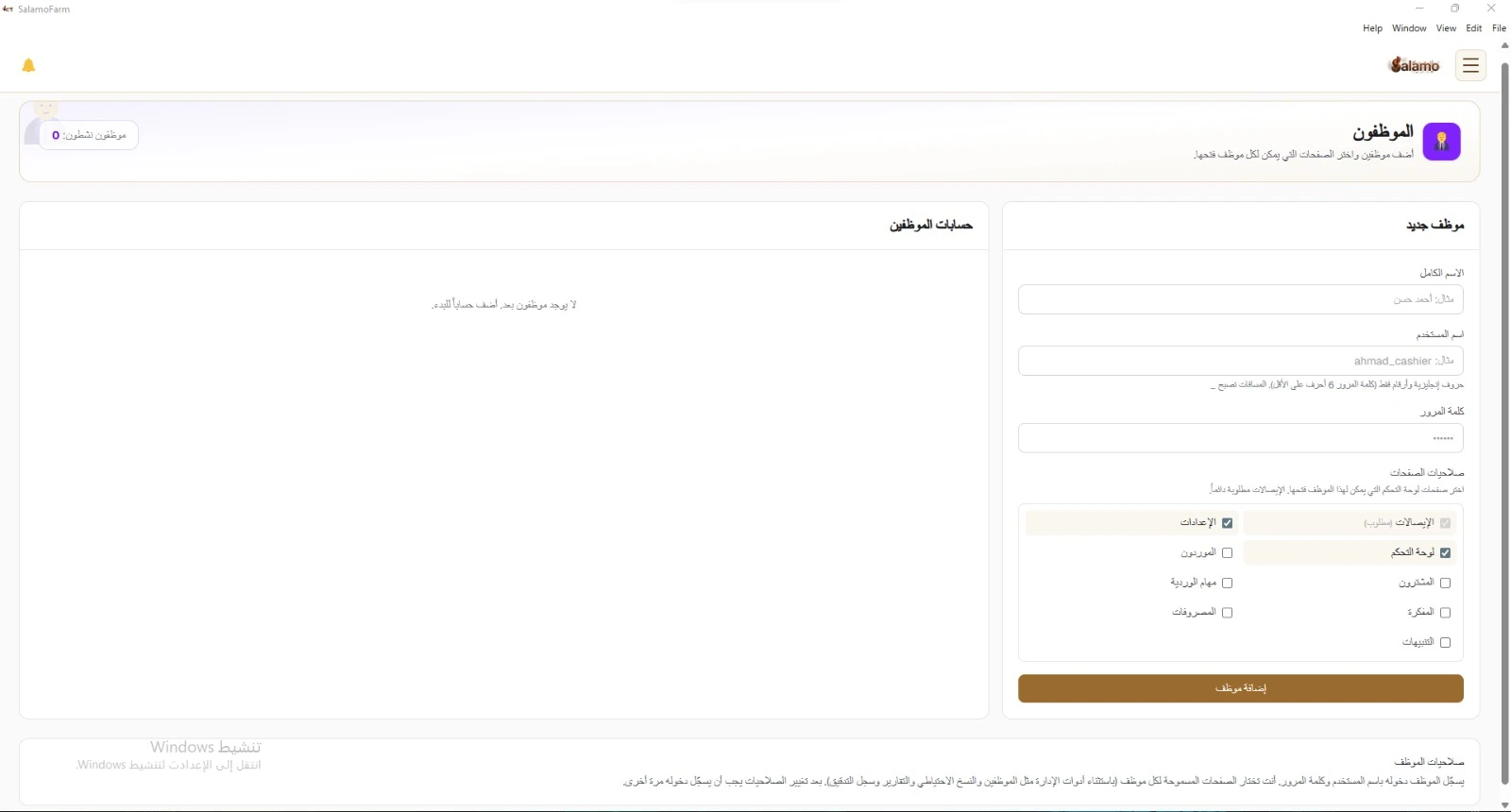
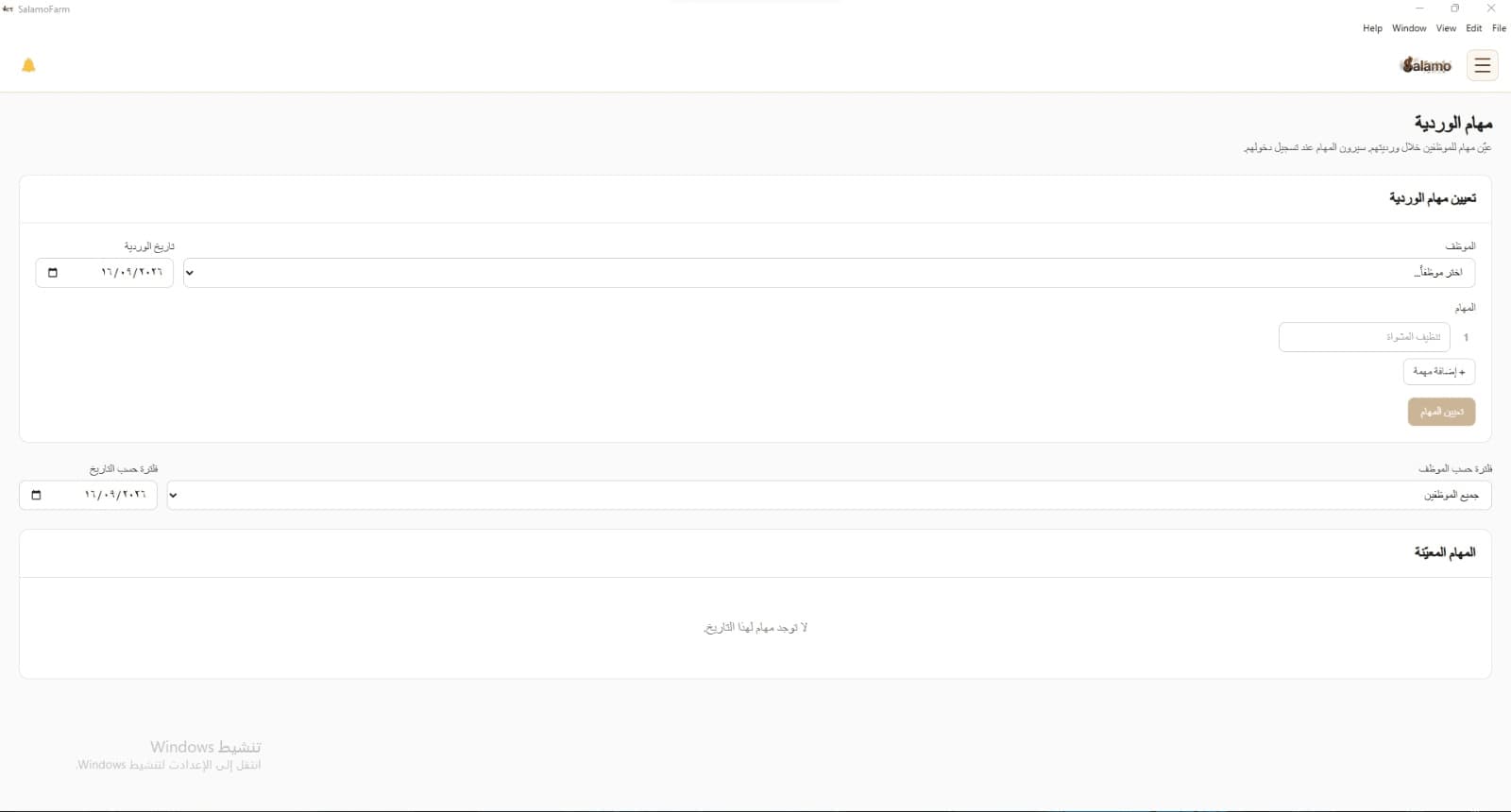
Add staff and choose which pages each employee can open. Receipts are always required. Shift Jobs track work across both shifts.
- Per-employee account: name, username, password
- Page permissions, page by page
- Shift Jobs alongside employee accounts
What's inside
Menu modules in SalamoFarm — the same names as in the navigation sidebar.
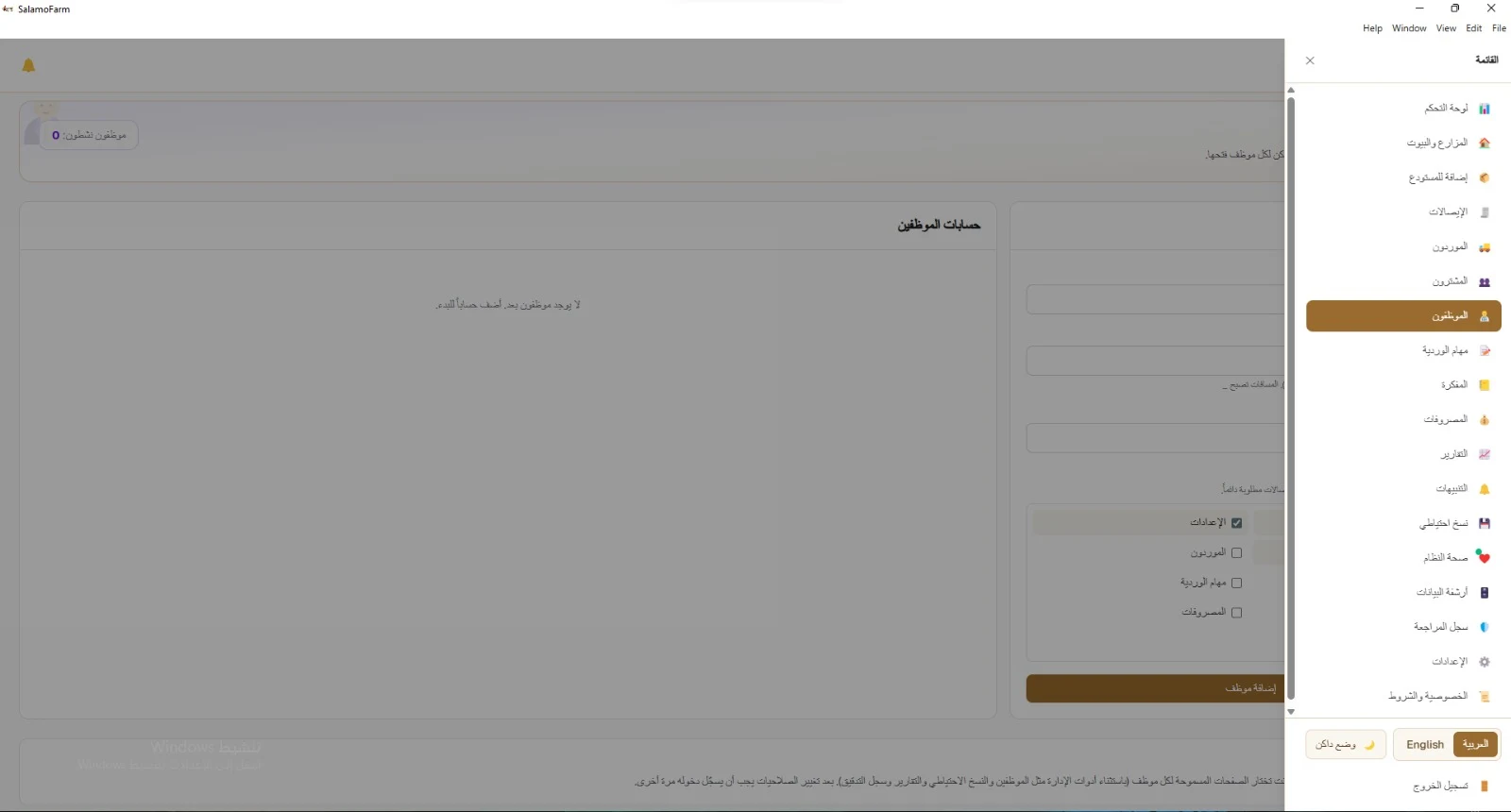
Operations
- Dashboard
- Farms & Houses
- Add to Warehouse
- Receipts
Partners
- Suppliers
- Buyers
Team
- Employees
- Shift Jobs
- Notebook
Finance
- Expenses
- Reports
System
- Alerts
- Backup
- System Health
- Data Archive
- Audit Log
- Settings
- Privacy & Terms
Built for daily farm work
Runs on the desktop, in Arabic and English, without needing a constant connection. Track flock cycles, houses, the day log, and the house warehouse from your machine or other devices on the local network — with backup and an audit log.
Flock cycles & houses
Track birds on hand, mortality, survival rate, and feed conversion per house and cycle.
Day log
Daily entries with Shift A and Shift B, plus scheduled medicine/vaccine alerts on set days.
House warehouse
Intake of feed, water, heating, and bedding per house — with a supplier link when needed.
Works offline
Core operation on the machine and local network without a permanent internet link.
Arabic and English
Switch language from the UI — Arabic and English.
Light and dark mode
The same screens in light or dark mode.
Server and clients on the LAN
One main device (server) and secondary devices (clients) on the farm local network.
Backup and restore
Save your data and restore it when you need to.
Audit Log
Track important actions inside the system.
Ready to run your farm with SalamoFarm
Flock cycles and houses, the day log, house warehouse, and flock sales — in one desktop system.